

How to Choose the Best Digital Watch in 2026?
Choosing a Digital Watch in 2026 means balancing daily comfort, useful features, and dependable performance. The market is broad, but shipment figures need careful interpretation. IDC reported 534.6 million wearable-device shipments worldwide in 2024, including products beyond watches. That figure signals a large category, not a guarantee that every new feature is useful. Counterpoint Research reported a 7% decline in global smartwatch shipments that year, suggesting buyers and brands are becoming more selective.
Start with the moments when you will wear the watch. A bright screen helps outdoors, while a secure strap matters during a run or a long commute. Check battery life against your actual use, not just the manufacturer’s best-case claim. GPS, continuous heart-rate tracking, and an always-on display can shorten time between charges. Small details count. A watch that needs charging every night may not suit someone tracking sleep.
Compatibility deserves equal attention. Confirm that the watch works with your phone, and check which health features require a subscription or specific app. Review independent testing where available, and treat health readings as useful estimates rather than medical diagnoses. No model wins for everyone. Even a careful comparison can miss the feel of a watch on your wrist. This guide will weigh price, comfort, battery performance, software support, and practical features to help you choose a Digital Watch that fits real routines—not just a polished product page.
Define Your Needs by Use Case, Phone OS, and Essential Features
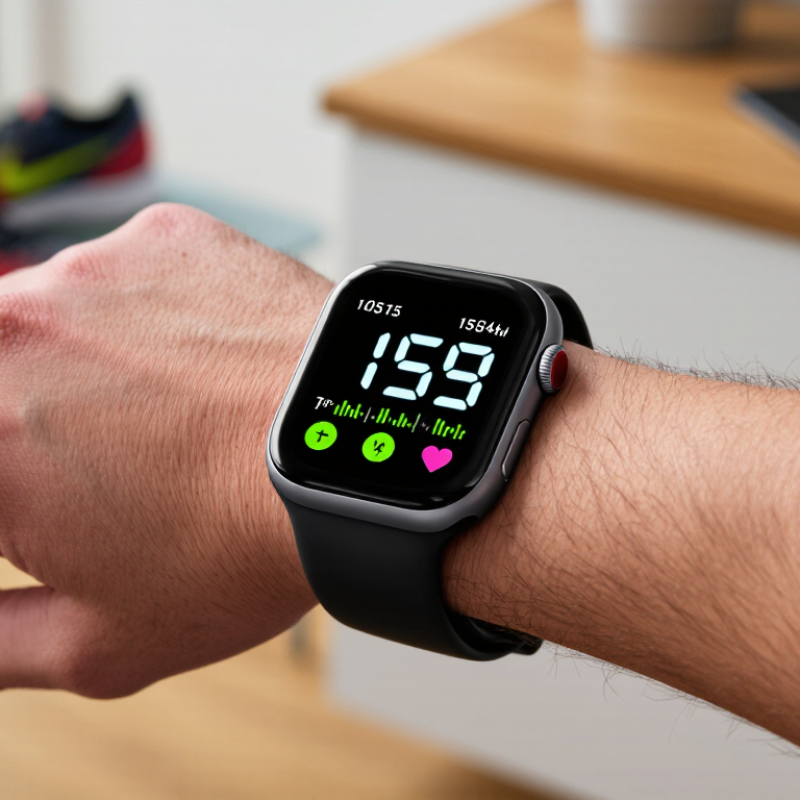
Start with the moment you’ll use the watch: a run before work, quick checks during meetings, or sleep tracking overnight. For outdoor exercise, prioritize reliable GPS, readable displays, and water resistance. For everyday wear, comfort and clear notifications may matter more than a large feature list. Small details matter. Try imagining the watch on your wrist beneath a jacket cuff, or while charging beside your bed.
Check phone operating-system compatibility before comparing sensors or prices. Some features, such as replying to messages or syncing health data, may work differently across phones. Then choose essentials: battery life, heart-rate tracking, contactless payments, or an emergency alert function. Counterpoint Research reported that global smartwatch shipments fell 7% year over year in Q3 2024. That shift is a reminder: popularity alone does not tell you whether a watch fits your routine. I would not treat any feature list as a substitute for checking real-world compatibility.
A practical test is to write down three daily tasks and see whether the watch supports them without constant charging. If you travel, check how long GPS use affects battery life. If you sleep with it, consider weight and overnight comfort. The compromise is real: more sensors and brighter screens can mean more frequent charging. IDC reported 538.9 million wearable-device shipments worldwide in 2024, up 6.1% from 2023, in its Worldwide Quarterly Wearable Device Tracker. The market is broad, but your shortlist should be personal. A little uncertainty remains until you test the fit.
How to Choose the Best Digital Watch in 2026? — Define Your Needs by Use Case, Phone OS, and Essential Features
Start with how you plan to use the watch, then check phone compatibility, must-have features, and the trade-offs you are willing to make.
| Use Case | Best-Fit Watch Type | Phone OS Considerations | Essential Features to Check | Battery and Trade-Offs | Buying Check |
|---|---|---|---|---|---|
| Everyday notifications and apps | A full-featured smartwatch with a clear touchscreen and comfortable all-day fit. | Confirm the watch supports your phone’s operating system and the features you need. Compatibility can differ between iOS and Android, even when basic pairing is available. | Call and message alerts, calendar, reliable Bluetooth connection, adjustable notification controls, and a companion app that works with your phone. | Frequent screen use, calls, and background connectivity can mean charging every day or every few days; actual life depends on settings and use. | Check the minimum supported phone OS version and whether key features require a specific phone platform. |
| Fitness and health tracking | A smartwatch or fitness-focused watch with activity tracking and a secure, comfortable strap. | Check that health data can sync to your phone and preferred health app. Some measurements or services may be limited by phone OS, region, or local regulations. | Step and activity tracking, heart-rate monitoring, workout modes, sleep tracking, and clear explanations of what each measurement can and cannot indicate. | Continuous tracking and frequent GPS workouts use more power than basic timekeeping; battery life varies by model and settings. | For health-related features, review measurement limitations and do not treat consumer watch readings as a medical diagnosis. |
| Running, cycling, or route navigation | A sports watch with built-in satellite positioning for outdoor workouts, or connected GPS if carrying a phone. | Verify that workout records, maps, and route tools sync with your phone OS and the services you use. | GPS or multi-system positioning, workout recording, readable outdoor display, physical controls, and route or breadcrumb navigation if needed. | GPS and bright displays consume more power, especially during long sessions. Navigation and offline maps may require additional storage or setup. | Check whether positioning works without a phone and whether maps are stored on the watch or require a connection. |
| Swimming and water activities | A watch with a clearly stated water-resistance rating suitable for the intended activity. | Phone OS is usually less important for water resistance, but check that workout syncing and swim-recording features work with your phone. | Swim tracking if wanted, secure buttons or touch controls, a suitable strap, and manufacturer guidance for water exposure. | Water-resistant construction does not guarantee protection from every water activity. Heat, chemicals, impact, and aging seals can affect protection. | Read the exact rating and instructions. Do not assume that “water-resistant” means suitable for diving or high-speed water sports. |
| Outdoor use and long trips | A rugged or outdoor-focused watch with strong battery performance and, when needed, GPS and navigation tools. | Check whether maps, emergency features, and data syncing work without a nearby phone or cellular connection. | Readable display in sunlight, physical buttons, GPS, a durable case, configurable alerts, and offline tools if you travel beyond coverage. | Long battery claims usually depend on reduced feature use; GPS, cellular connectivity, and always-on displays can shorten runtime. | Compare battery estimates for the exact mode you will use, not just the manufacturer’s maximum timekeeping figure. |
| Simple timekeeping and minimal charging | A basic digital watch or a hybrid model focused on time, alarms, and a small set of functions. | Many basic digital watches do not need a phone. For connected hybrid models, check app availability and OS support before buying. | Clear time display, alarms, stopwatch, timer, backlight, comfortable controls, and a replaceable battery or documented charging method. | Basic models generally use less power than full smartwatches; battery life depends on display type, backlight use, and features. | Confirm how the battery is replaced or recharged and whether the watch retains settings during a battery change. |
Quick decision rule: Choose the use case first, confirm phone compatibility second, and compare battery life using the features you will actually keep enabled. Water-resistance ratings and battery estimates are model-specific, so check the product’s official specifications before purchase.