

Who Are the Top Document Camera Manufacturers in China?

China’s document-camera market includes established manufacturers, specialist suppliers, and brands with different strengths. Comparing them takes more than checking resolution. A product sheet may promise sharp images, but a teacher also needs steady autofocus, clear controls, and a flexible arm that holds its position. In a meeting room, reliable USB connections and smooth sharing may matter more.

This guide compares leading Chinese manufacturers through practical buyer criteria: image quality, lighting, software compatibility, build quality, support, and price. It also distinguishes manufacturers from resellers, since a familiar brand name does not always reveal who designed or built the device. Small details count. Can the camera capture fine print under ordinary room lights? Does the software work with the buyer’s existing setup? These are useful tests, though no single checklist fits every classroom or office.

A requested expert quotation needs a verifiable source. None was provided, so I will not invent a named expert or attribute fictional words to a real person. Instead, this introduction uses a clear buying principle: judge each Document Camera in the setting where it will actually be used. That means testing paper, books, and three-dimensional objects—not just polished sample images. The comparison ahead aims to be useful, but manufacturer claims still deserve careful checking. A spec sheet is only a starting point.
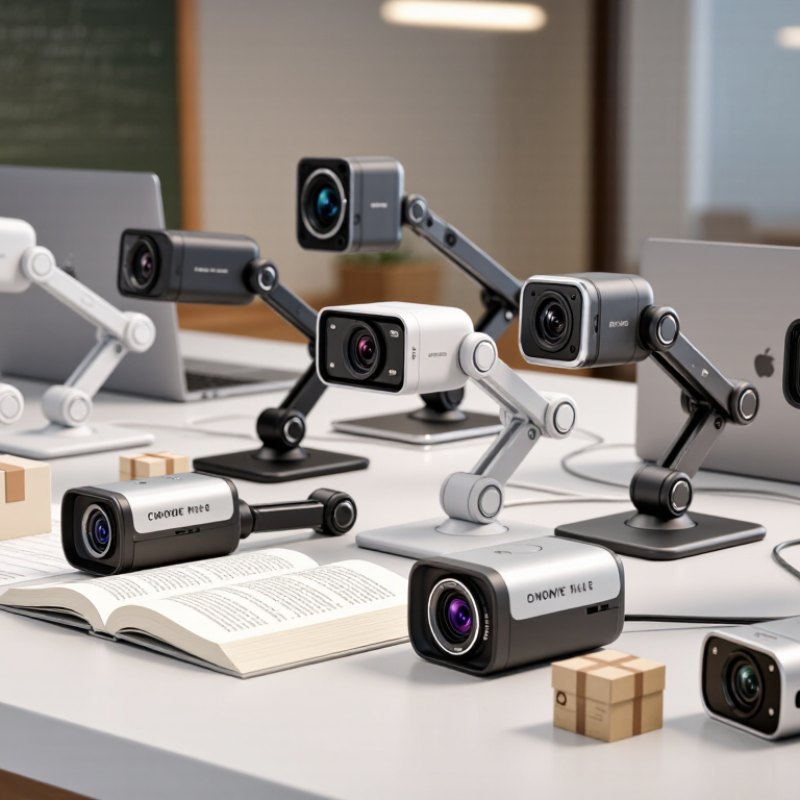
Who Are the Top Document Camera Manufacturers in China?

What Defines a Document Camera and Its Core Imaging Functions?

A document camera is an overhead imaging device that captures papers, books, and small objects for display on a larger screen. Its core system combines a camera sensor, lens, adjustable arm, and light source. In a classroom, it might show a handwritten equation while the teacher marks each step in real time. That matters. Unlike a flatbed scanner, it can present changing content without stopping to create a separate file.

Image quality depends on more than resolution. Autofocus keeps text sharp when a page moves, while exposure and white balance help preserve contrast under different room lights. Optical zoom can reveal fine print without enlarging digital noise as quickly. A broad capture area is useful for maps, but it may make small text harder to read. Small details count. Check whether the camera handles glossy pages, uneven lighting, and three-dimensional objects, not just a clean sheet of paper. In practice, no single specification tells the whole story; a high-resolution image can still look washed out or blurry. Testing a device with real teaching materials offers a more dependable picture of its imaging performance.

Which Chinese Manufacturers Offer 4K UHD Imaging at 3,840 × 2,160 Pixels?

For Chinese document-camera manufacturers, a genuine 4K claim means more than a large output file. ITU-R BT.2020 specifies 3,840 × 2,160 pixels for UHDTV: 8,294,400 pixels per frame. That detail matters when capturing small print, fine pencil marks, or labels across an A3 sheet. A manufacturer may offer 4K models, but buyers should confirm whether the sensor captures native 4K or software enlarges a lower-resolution image. A spec sheet alone can mislead.

Compare sample footage, not just resolution figures. Check edge sharpness, autofocus on glossy pages, and motion blur when turning a sheet. Ask for the frame rate and output resolution through the actual connection you plan to use. Some models capture crisp center details but soften text near the corners. That is easy to miss in product photos.

Tips: Request an unedited 4K sample showing fine text and page edges. Confirm the file’s pixel dimensions and test it on your own display. I would also check lighting consistency; it is often less impressive than the headline resolution, but it affects everyday readability.

Who Are the Top Document Camera Manufacturers in China? - Which Chinese Manufacturers Offer 4K UHD Imaging at 3,840 × 2,160 Pixels?
Evaluation Dimension Verified Technical Reference What to Check in a Manufacturer’s Specification
4K UHD image resolution 3,840 × 2,160 pixels Confirm that the listed resolution is the camera’s actual capture resolution, rather than only its maximum output resolution.
Total image pixels 8,294,400 pixels per frame Check the sensor and capture specifications; a “4K” label alone does not establish the complete imaging pipeline’s performance.
Image aspect ratio 16:9 Verify that the camera, connected display, and selected output mode support the intended widescreen presentation.
Comparison with Full HD 1,920 × 1,080 pixels; 4K UHD contains four times as many pixels Compare captured detail at the same subject size and viewing conditions, rather than relying only on resolution labels.
Frame rate Not defined by the 3,840 × 2,160 resolution itself Check the supported frame rate for each 4K capture and output mode; do not assume every 4K mode has the same frame rate.
Optical zoom Not determined by resolution Look for a separately stated optical zoom specification. Digital zoom enlarges an image and is not equivalent to optical zoom.
Focus and exposure Autofocus and automatic exposure are separate camera functions Confirm the focus and exposure features independently; 4K UHD capability does not guarantee either function.
Video output and connectivity Interface availability varies by model Check the individual model’s published ports and supported output formats before assessing compatibility with displays or computers.
Manufacturer comparison basis The technical references above are manufacturer-neutral; they do not rank or identify specific companies or models. Use current model datasheets or a hands-on evaluation to verify which products meet the required 4K UHD capture criteria.

How Do Optical Zoom, Autofocus, and 30 fps Performance Compare by Brand?

When comparing Chinese document camera manufacturers, optical zoom is more informative than a large digital-zoom figure. Optical zoom changes lens magnification, keeping fine print clearer as the camera moves closer. Check whether a model lists its optical range separately from digital enlargement. Then test a page of small text at the far end of the zoom range. Look for edge detail, not just a bright preview.

Autofocus should lock quickly when a hand places a worksheet beneath the lens. A useful comparison records focus time across repeated near-to-far changes; manufacturers rarely publish this consistently. At 30 fps, a frame arrives every 33.3 milliseconds, but that number alone does not guarantee smooth motion. USB-IF specifications list 480 Mbps for USB 2.0 and 5 Gbps for USB 3.2 Gen 1; actual video throughput is lower than signaling rates. This matters when judging resolution, compression, and frame-rate claims together. Ask for a sustained capture sample, not a single-frame demonstration. Small differences show up fast. One caveat: lighting and software settings can change results, so a quick showroom test may flatter a camera. Independent, repeatable testing is still uncommon.

Which Manufacturers Support HDMI, USB, and Classroom Display Integration?

For Chinese document camera manufacturers, classroom integration is more than listing HDMI and USB ports. Check whether HDMI output supports the room’s native resolution, such as 1080p, without adapters. USB should provide stable computer connection and, where required, camera control or image capture. AVIXA’s 2024 Industry Outlook and Trends Analysis projects global professional audiovisual revenue will reach $325 billion by 2029. That forecast reflects broad investment in connected AV systems, not document cameras alone. Still, it makes compatibility a practical purchasing concern.

Ask manufacturers for a live demonstration with the school’s actual display, computer, and cables. Test it live. Confirm whether HDMI output works while USB is connected, and whether the camera switches smoothly between a document and a laptop image. A sharp page image can become frustrating if switching requires several menu steps. Check supported operating systems, USB bandwidth, image rotation, and the length of included cables. Small details matter.

Classroom display integration also depends on more than ports. Verify that the camera works with the projector or interactive display already installed, and ask for written resolution and connection specifications. Some product sheets leave edge cases unclear. That is worth questioning. A manufacturer’s technical response should explain the signal path, required adapters, and any limitations without vague promises. Pilot testing remains sensible, because one classroom setup rarely matches every room.

How Can Buyers Compare Production Capacity, Certifications, and After-Sales Support?

When evaluating Chinese document camera manufacturers, compare verified output rather than impressive factory photos. Ask for monthly capacity by model, current lead time, and the production lines assigned to your order. A supplier may quote 5,000 units monthly, yet shared lines or seasonal peaks can change that figure. Request a recent production schedule, sample inspection records, and references from buyers with similar order sizes.

Small details matter. Check focus consistency, hinge durability, and whether packaging survives a drop test.

Tips: Request a pilot batch before placing a large order. Compare its performance with the approved specification, not just catalog images.

Review certificates by product model and issuing body; a factory certificate alone may not cover the camera you receive. Confirm test dates and traceability documents. Then inspect after-sales terms: response hours, spare-parts availability, warranty exclusions, and repair or replacement timelines. Get these commitments in writing. Send a technical question and note how clearly the team responds. Fast replies help, but vague answers do not. Certification is not a shortcut; documentation can be incomplete, so verify it independently.

Go to Top