Top 10 Touch Screen Kiosk Manufacturers Worldwide
A Touch Screen Kiosk can turn a queue into a quick transaction—or make a simple task feel frustrating. The difference often comes down to details: screen brightness under overhead lights, clear on-screen instructions, responsive touch input, and a housing that stays steady during use. These details matter.
Usability expert Don Norman writes, “Good design is actually a lot harder to notice than poor design, in part because good designs fit our needs so well that the design is invisible.” That idea is especially relevant to self-service kiosks. People notice a lagging screen or confusing button immediately. They may never notice a well-placed card reader, unless it is missing.
This guide to the Top 10 Touch Screen Kiosk Manufacturers Worldwide introduces companies serving retail, healthcare, hospitality, transportation, and other settings. It considers practical factors such as product range, customization, durability, software integration, and support. A polished product photo tells only part of the story. Installation conditions and service response matter, too.
No manufacturer is best for every project. A compact checkout unit may suit a café, while a public-facing information kiosk needs different hardware and maintenance planning. Rankings can also shift with region, budget, and application. That is worth remembering. Manufacturer claims deserve careful comparison, and specifications should be checked against real operating needs. This overview offers a starting point, not a substitute for evaluating a kiosk in its intended environment.
Touch Screen Kiosks: Definition, Functions, and Main Types
Touch Screen Kiosks: Definition, Functions, and Main Types
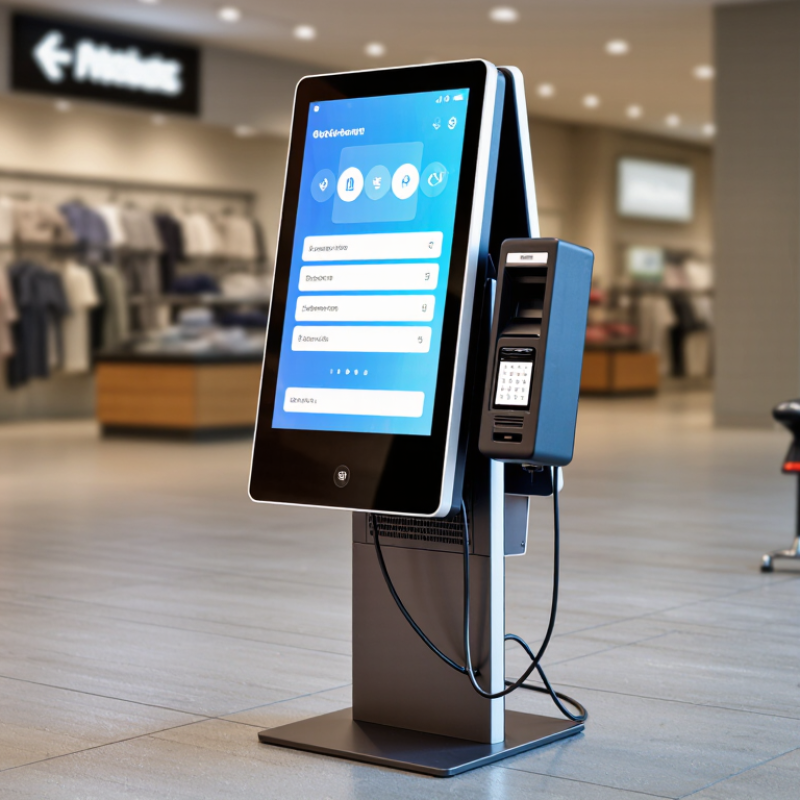
A touch screen kiosk is a standalone digital terminal that lets people access services through an on-screen interface. A user might tap a map, select a meal, check in for an appointment, or print a ticket. These terminals can also support payments, information searches, queue management, and wayfinding. Common types include retail checkout kiosks, ticketing machines, information stands, and check-in terminals. Their screens may be mounted on counters, walls, or floor stands. Less waiting, ideally.
Industry estimates show substantial demand, but figures vary by market definition. Grand View Research valued the global self-service kiosk market at USD 34.1 billion in 2023 and projected 11.2% annual growth through 2030. MarketsandMarkets estimated USD 34.9 billion in 2024, forecasting USD 50.4 billion by 2029. The different estimates reflect varying scopes and forecast periods; neither isolates touch-screen units alone. That caveat matters when comparing market claims.
In practice, placement and accessibility can matter as much as screen size. A bright display near an entrance may help visitors, while a confusing payment flow can slow everyone down.
A polished interface cannot repair a poor workflow.
How Manufacturers Design and Produce Touch Screen Kiosks
Top 10 Touch Screen Kiosk Manufacturers Worldwide
Designing and producing a touch screen kiosk starts with its setting: a bright lobby, a dusty entrance, or a busy checkout area. These conditions shape screen brightness, enclosure materials, mounting, and cooling. Grand View Research valued the broader self-service kiosk market at USD 34.06 billion in 2022 and projected 7.1% annual growth from 2023 to 2030. That growth raises the bar for dependable hardware. Small details matter. Engineers select touch technology, often projected capacitive, then test response through protective glass. A screen that works on a lab bench may misread touches under glare or with damp fingers.
Production turns those choices into repeatable units. Teams cut and form metal panels, apply coatings, assemble displays and compute modules, and route cables away from heat sources. They check alignment, touch accuracy, and thermal performance before shipment. Heat is unforgiving. Environmental tests can draw on IEC 60068 methods, while enclosure protection claims should be verified against the relevant IEC 60529 ratings. A polished CAD model does not guarantee an easy repair; service access is sometimes overlooked. Manufacturers can improve the design by testing prototypes in realistic conditions, recording failures, and revising parts before scaling production. A kiosk should feel simple to use, even when its engineering is not.
Criteria for Comparing Global Touch Screen Kiosk Manufacturers
Comparing global touch screen kiosk manufacturers starts with the intended setting, not a product brochure. A kiosk in a bright airport lobby faces glare, long operating hours, and frequent contact. One in a clinic may need a smaller footprint and clear, simple prompts. Ask manufacturers how they test screens, touch response, and enclosures under conditions similar to yours. Request specific test methods and service records, not only general claims.
Look closely at the full system. Compare screen size and brightness, processor capacity, mounting options, ports, and access for repairs. Check whether the operating software supports your payment, ticketing, or wayfinding tools. Ask how security updates are delivered and how long replacement parts remain available. Useful answers should be documented and tied to a support process. Vague promises are hard to plan around.
Service matters across borders. Confirm where technical support is based, expected response times, language coverage, shipping arrangements, and warranty limits. Check whether documentation explains installation, cleaning, and routine maintenance in plain language. No checklist is perfect. A spreadsheet may miss the sound of a loose panel or the awkward reach to a service hatch. Where possible, inspect a working unit or speak with an operator using a similar setup. Weigh total ownership costs, including installation, repairs, and downtime, rather than comparing purchase prices alone.
Top 10 Touch Screen Kiosk Manufacturers Worldwide — Criteria for Comparing Global Manufacturers
Accessibility is one practical criterion when comparing kiosk manufacturers. The chart shows the ADA Standards’ unobstructed forward reach limits: operable parts should be 15 to 48 inches above the floor (2010 ADA Standards, Section 308.2.1). Use this as a reference alongside criteria such as durability, customization, integration, and service support.
Profiles of Ten Leading Touch Screen Kiosk Manufacturers Worldwide
Profiles of leading touch screen kiosk manufacturers reveal how varied this market has become. One manufacturer may focus on retail kiosks, with bright displays and card-reader mounting designed for busy checkout areas. Another specializes in outdoor units, using sealed enclosures and sunlight-readable screens. A third builds compact kiosks for clinics, where clear prompts and easy-to-clean surfaces matter. Details matter.
A fourth profile centers on transport terminals, with rugged housings for long operating hours.
A fifth serves quick-service dining, prioritizing responsive screens and straightforward menu updates.
A sixth supplies self-service check-in systems, balancing small footprints with accessible controls.
A seventh focuses on industrial interfaces, where gloves and dusty environments affect screen choices.
An eighth offers modular hardware, making repairs and component replacement less disruptive.
A ninth emphasizes custom enclosures for museums, campuses, and public venues.
A tenth combines kiosk hardware with software integration and ongoing technical support.
These profiles describe distinct capabilities, not a verified ranking of named companies. Buyers should compare screen brightness, touch response, enclosure materials, service coverage, and software compatibility against real site conditions. A polished demo can hide awkward maintenance access. Request specifications and test a unit in the intended environment before making a decision.
Global Markets, Industry Applications, and Emerging Technologies
Touchscreen kiosk manufacturers serve markets with different climates, payment habits, and service expectations. A transit terminal may need a bright, durable display, while a clinic prioritizes privacy and surfaces that staff can wipe quickly. Retail operators often want compact cabinets, clear product search, and remote content updates. These needs shape product design more than one global specification can. Details matter. Manufacturers also need local-language interfaces, accessible controls, and nearby technicians who can replace a failed screen without shipping the entire unit overseas.
Emerging technologies are changing these installations, though not every upgrade solves a real problem. On-device AI can help visitors find services through natural language, while contactless readers reduce queues at ticket counters. Cameras and sensors may support occupancy estimates, but their use calls for clear privacy choices and careful data handling. Modular screens, replaceable printers, and remote diagnostics can shorten service interruptions. Still, network outages and dusty locations expose a gap between polished demonstrations and everyday operation. A kiosk that works well in an airport may struggle in a small community clinic, where budgets and technical support are limited.
More connectivity is not always better.